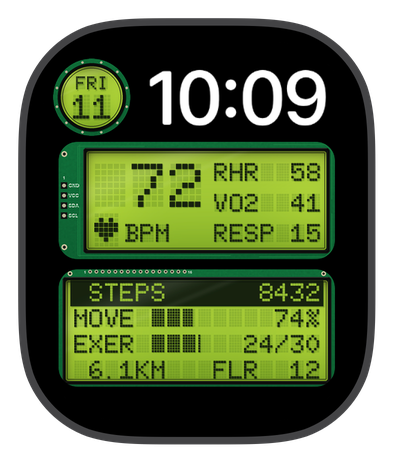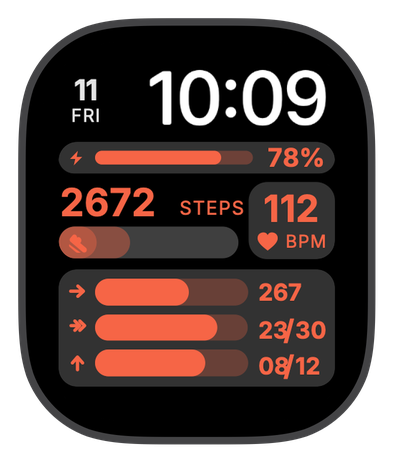
Burn Rate
For the days you want to see the effort add up.
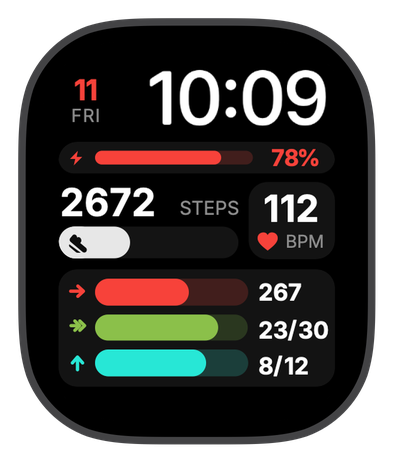
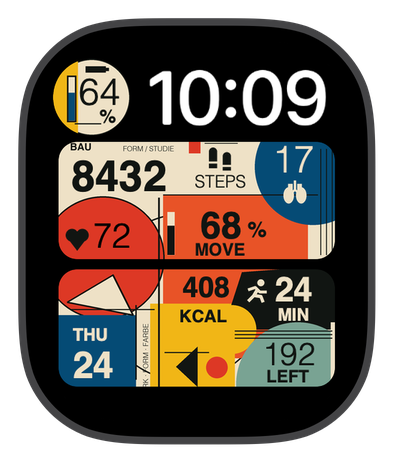
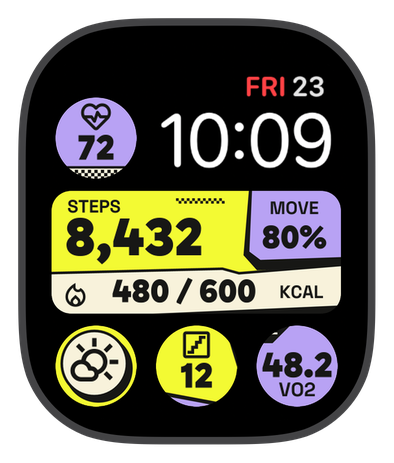
Bold coral bars track move calories, exercise minutes and stand hours against your own goals, right where you can see them.
Steps, heart rate and battery sit just above, so a single glance tells you where the day stands.
Burn Rate suits the person who fits a workout around a full day. Before work, after dinner, whenever the hour becomes available.
That coral display has something to say about your priorities. The time you made for yourself belongs on your wrist.

Chronoix is free to download. Check the price of this face in the app before you buy.
On your watch face
Watch Battery
Your watch's charge at a glance. Make time for a top-up before you head out.

Move
Active energy and goals, in focus. Give your everyday moves momentum.
Exercise
A little focus for your exercise. Make time to move toward your daily goal.

Heart Rate
Your latest heart rate, in beats per minute. A small check-in with your body's rhythm.
Move Ring
Your active calories against your goal. One more move. One step closer to closing.

Steps
Your steps today, adding up. Little walks count. Let the next one start here.

Exercise Ring
Your exercise goal, minute by minute. Green means you showed up.
Stand Ring
Your stand goal, hour by hour. Even on the busiest days.

Stand
Your time on your feet. Long day at the desk? Make room to move.
Get Burn Rate on your watch
New to Chronoix? Install it, come back to this page and tap Open in Chronoix to go straight to Burn Rate.
- Tap Open in Chronoix on your iPhone, or download Chronoix first.
- Find Burn Rate in the Fitness collection.
- Buy the face, then follow the installation steps in Chronoix.